

Main Features
rubricas.cl was designed to simplify assessment management on digital platforms.
Easy
Only 3 steps to start assessing.
Simple
Build your rubrics online or import them.
Multi-platform
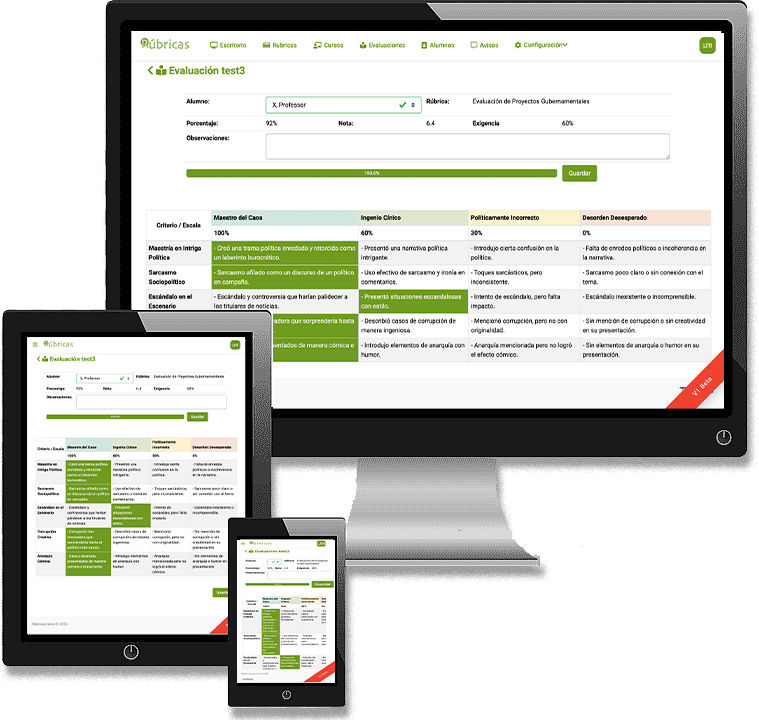
Access from your computer, tablet, or mobile phone.
Share
Share the rubric with students so they can make improvements.
Accessible
Cloud-hosted for access from any device or location.
History
Keep a historical record of students to track their progress.
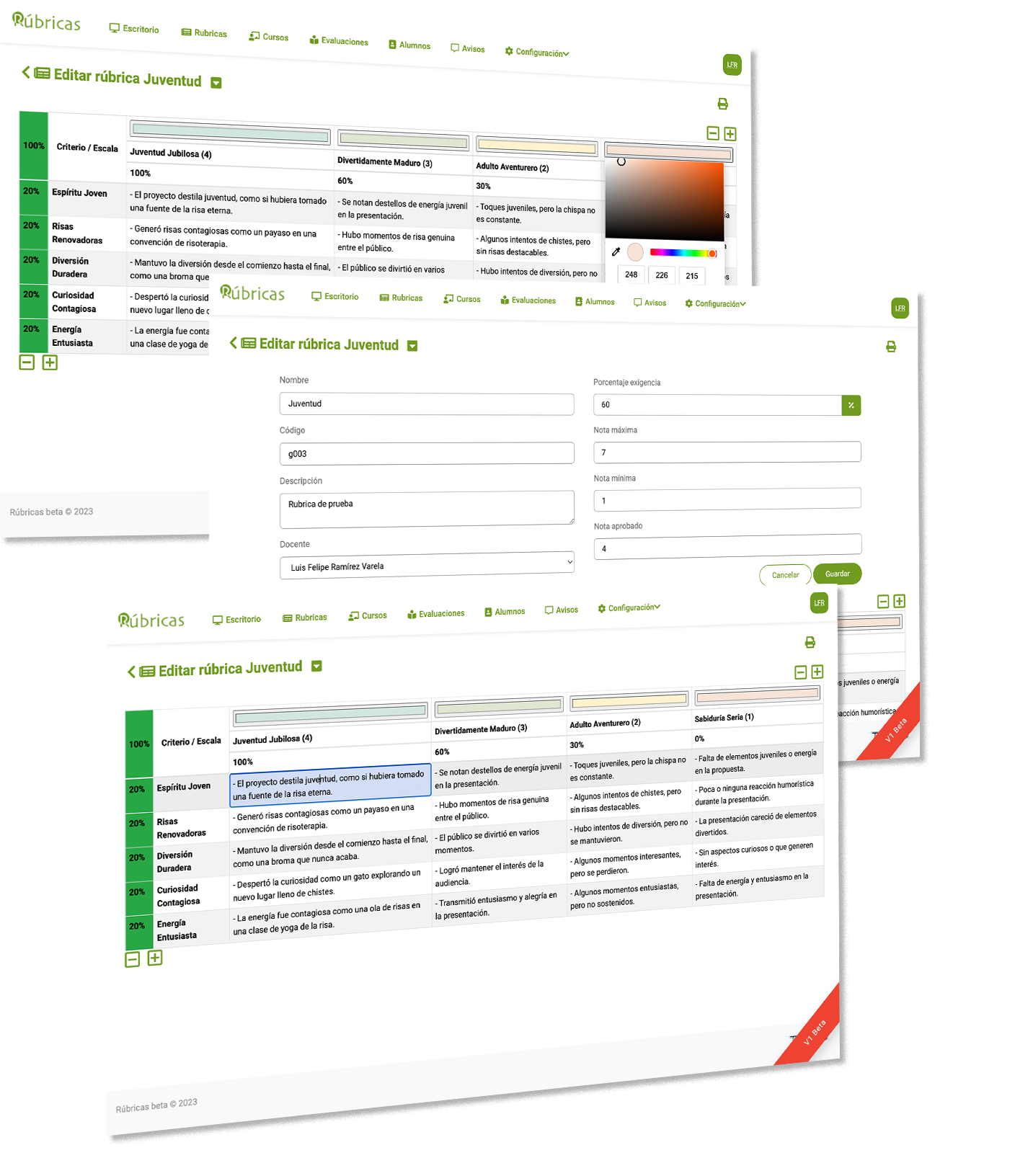
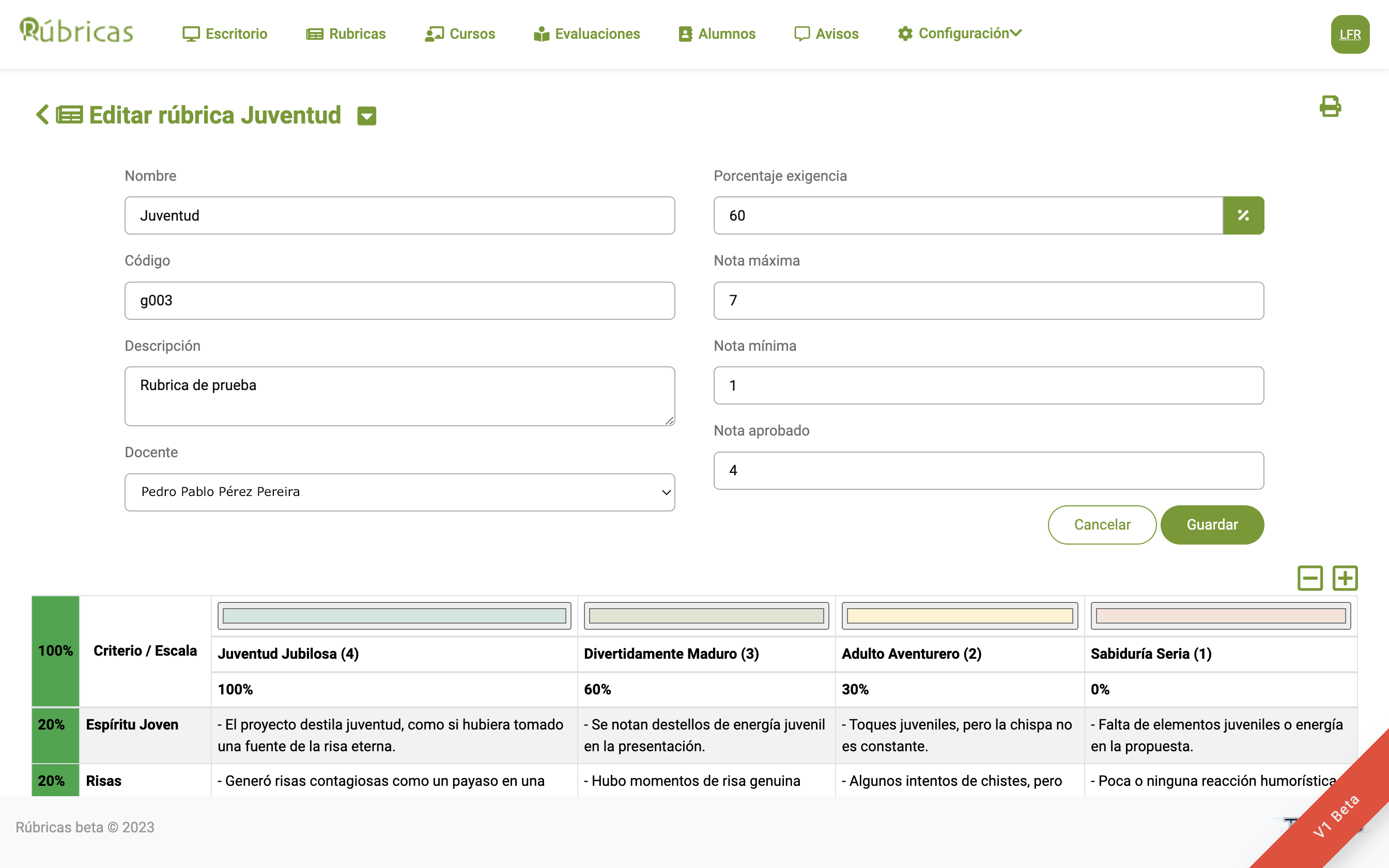
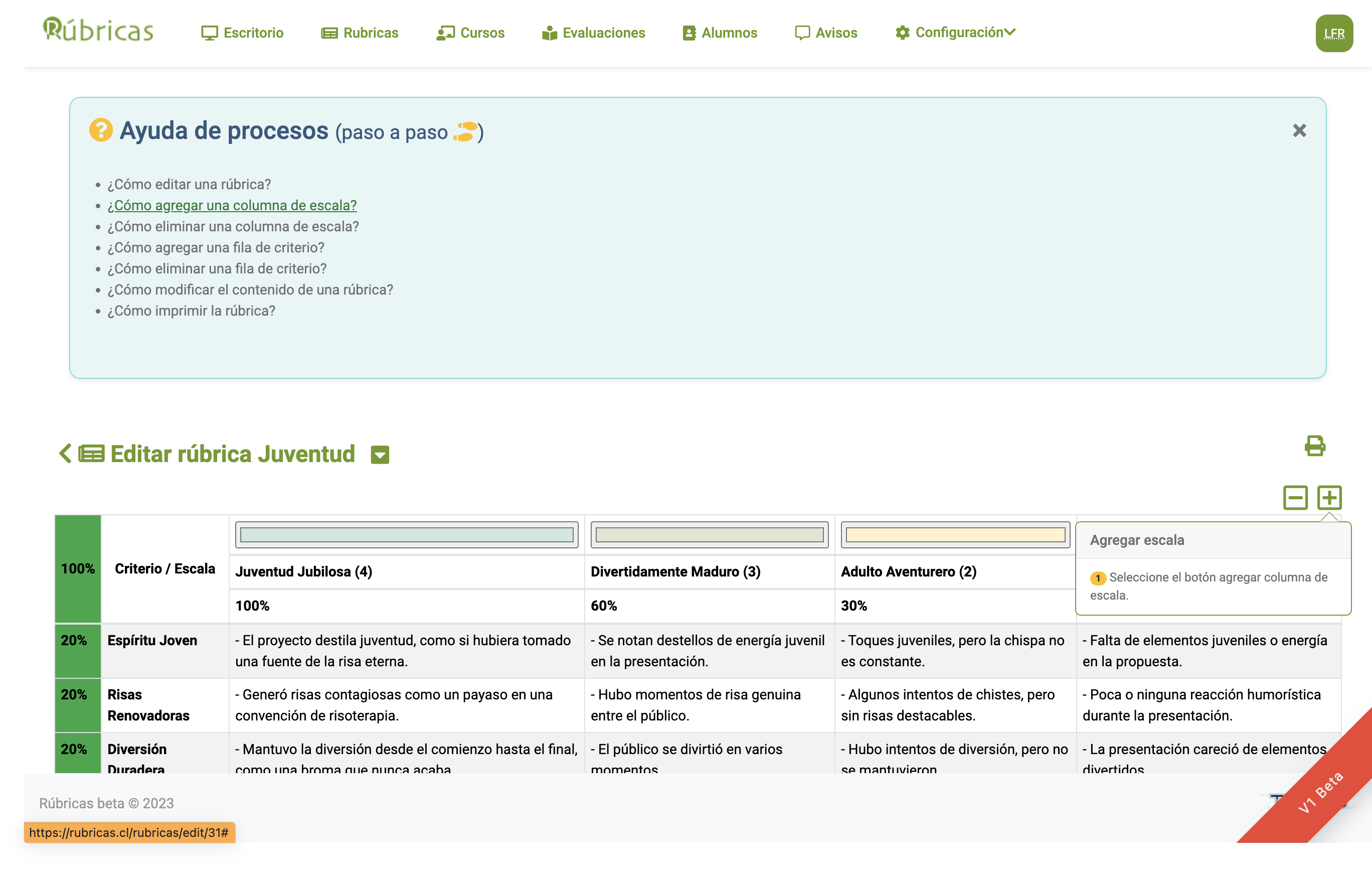
1 Design an online rubric easily and intuitively.
When creating it, assign a name and description and you are ready to begin.
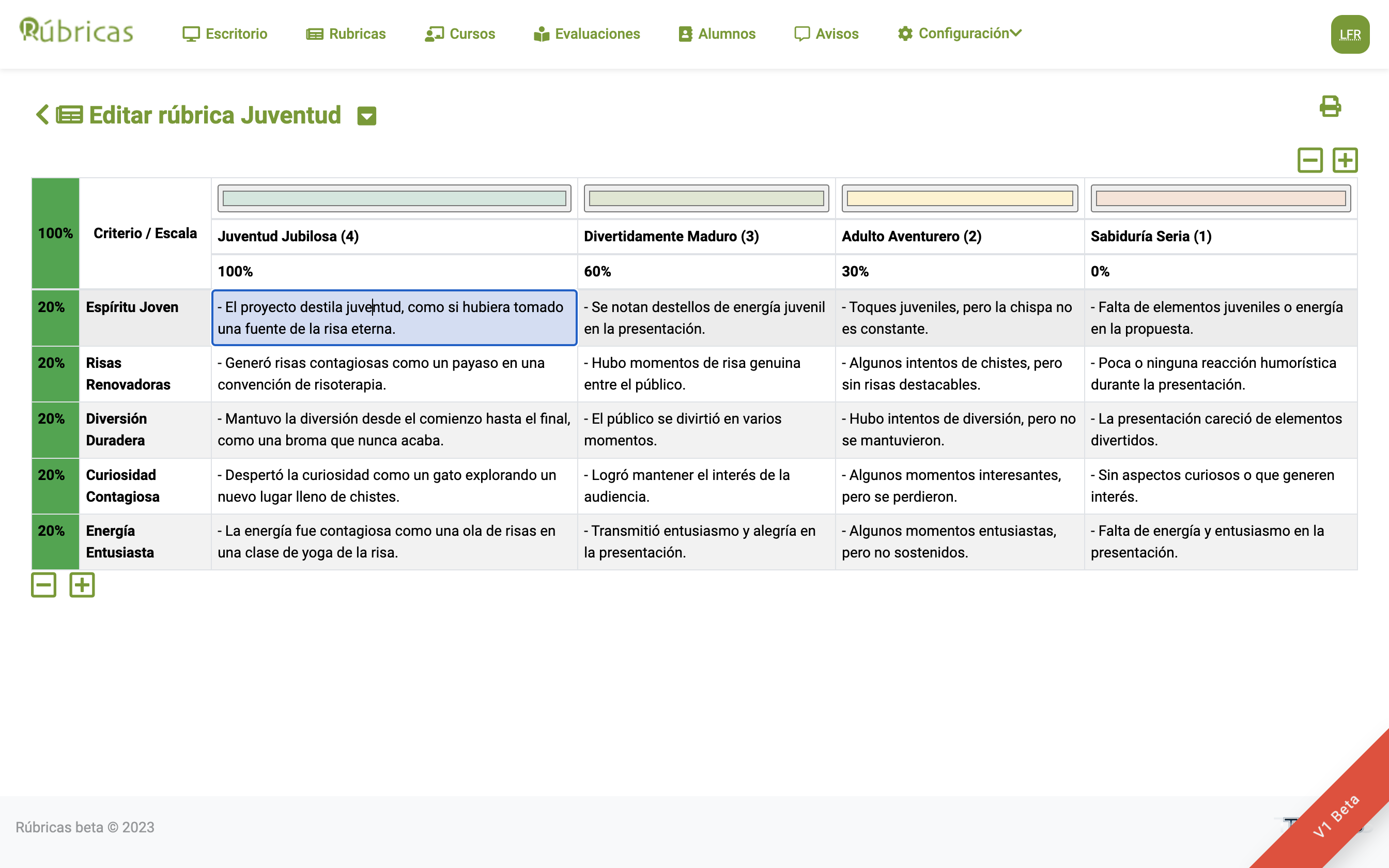
- Choose the grading scale for the assessment.
- Add or remove assessment levels.
- Each level can be assigned a percentage value and a color.
- Add or remove as many assessment criteria as you need.
- Assign a percentage or weight to each criterion separately.
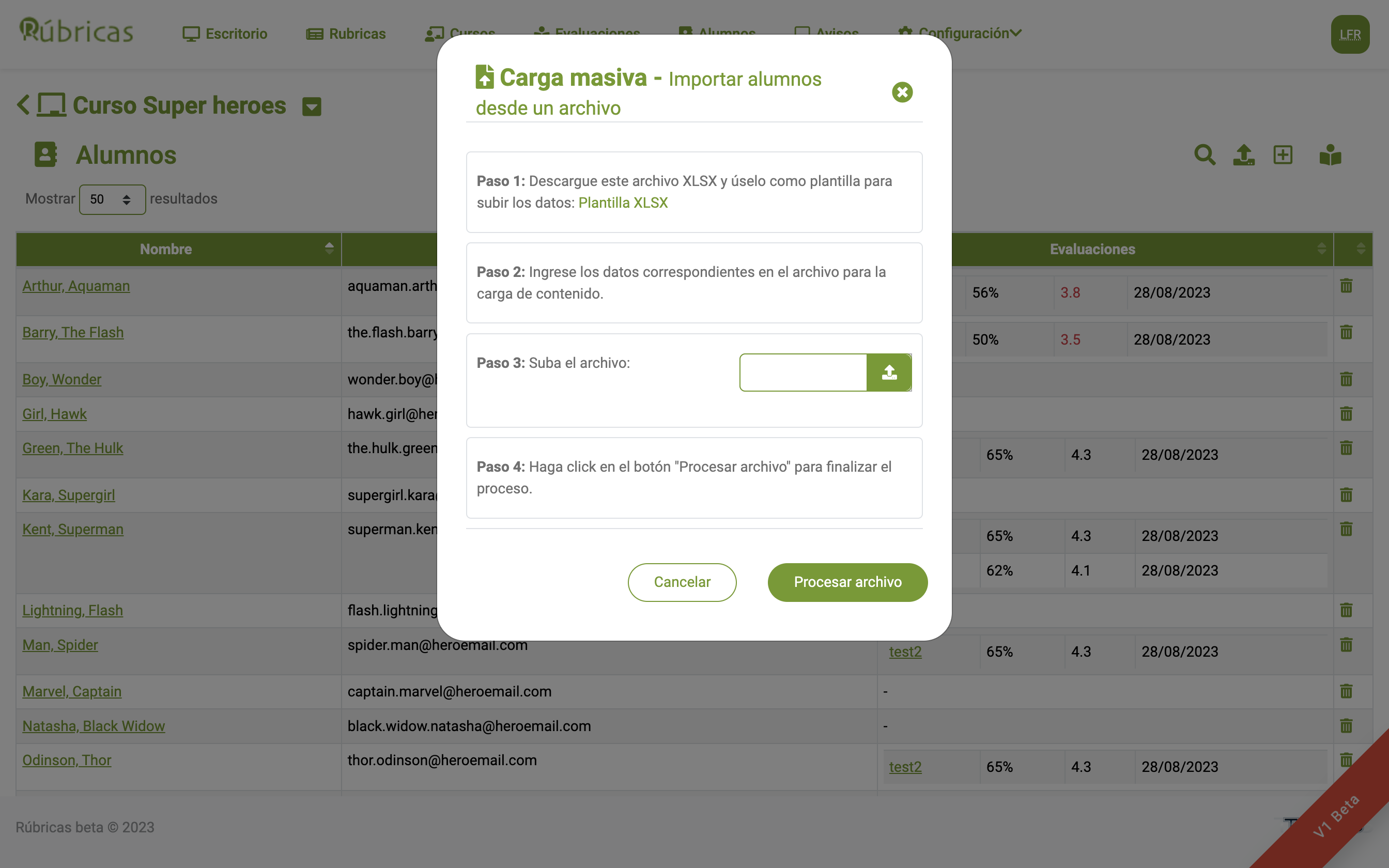
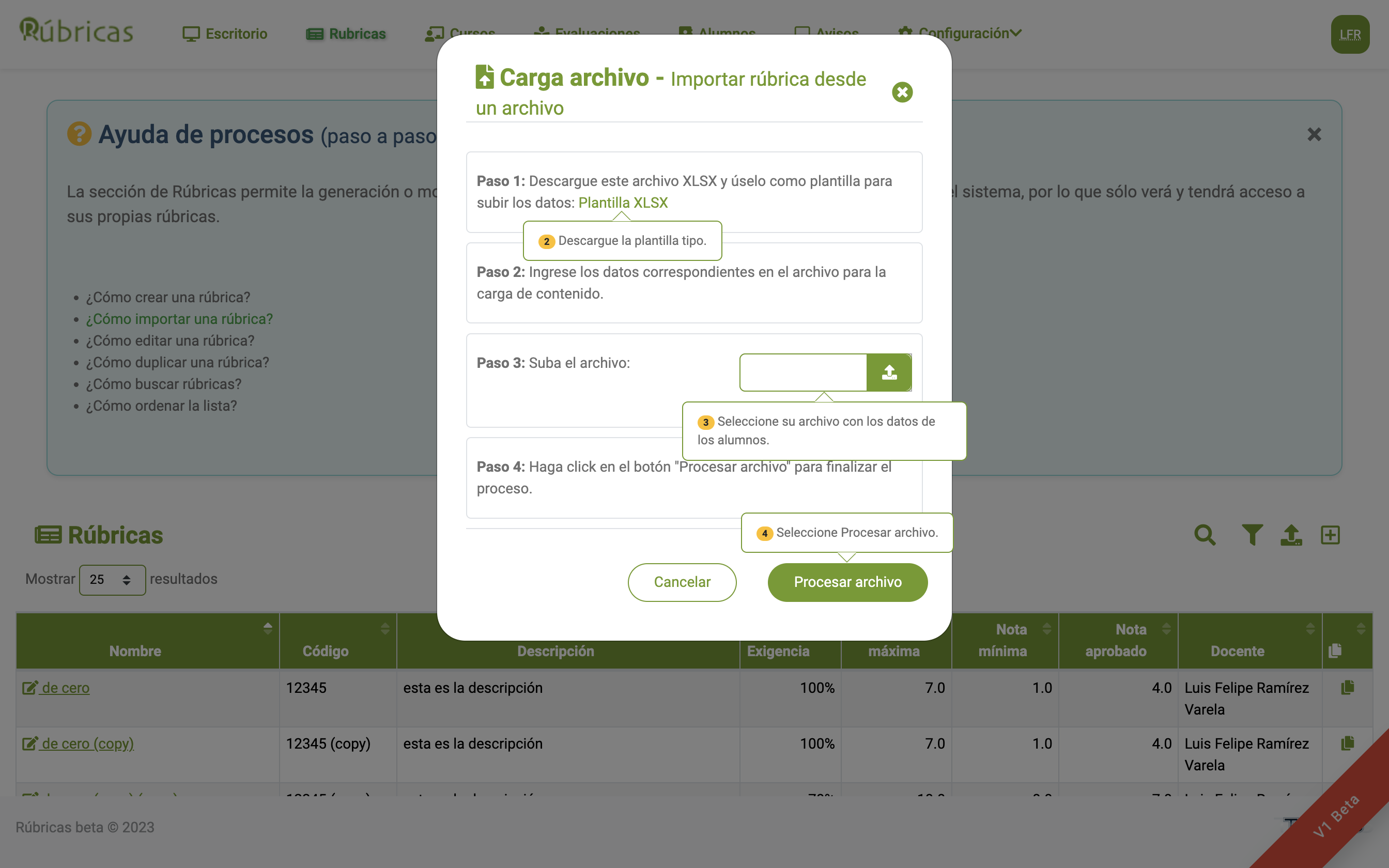
- You can import directly from a spreadsheet.
- An alert system notifies you when the rubric does not total 100%.
The system includes a default assessment scale, but all its parameters can be customized to suit your needs.
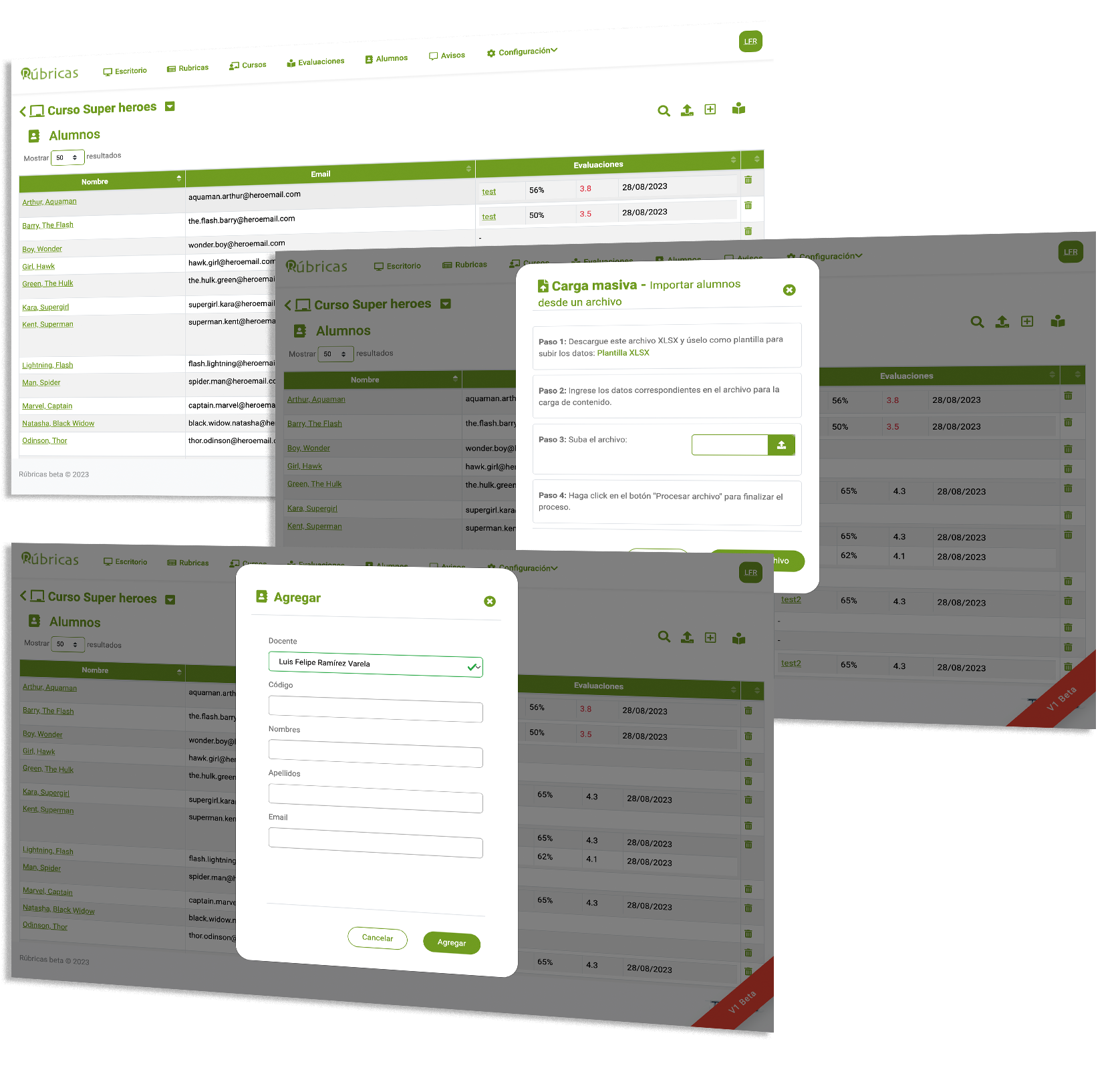
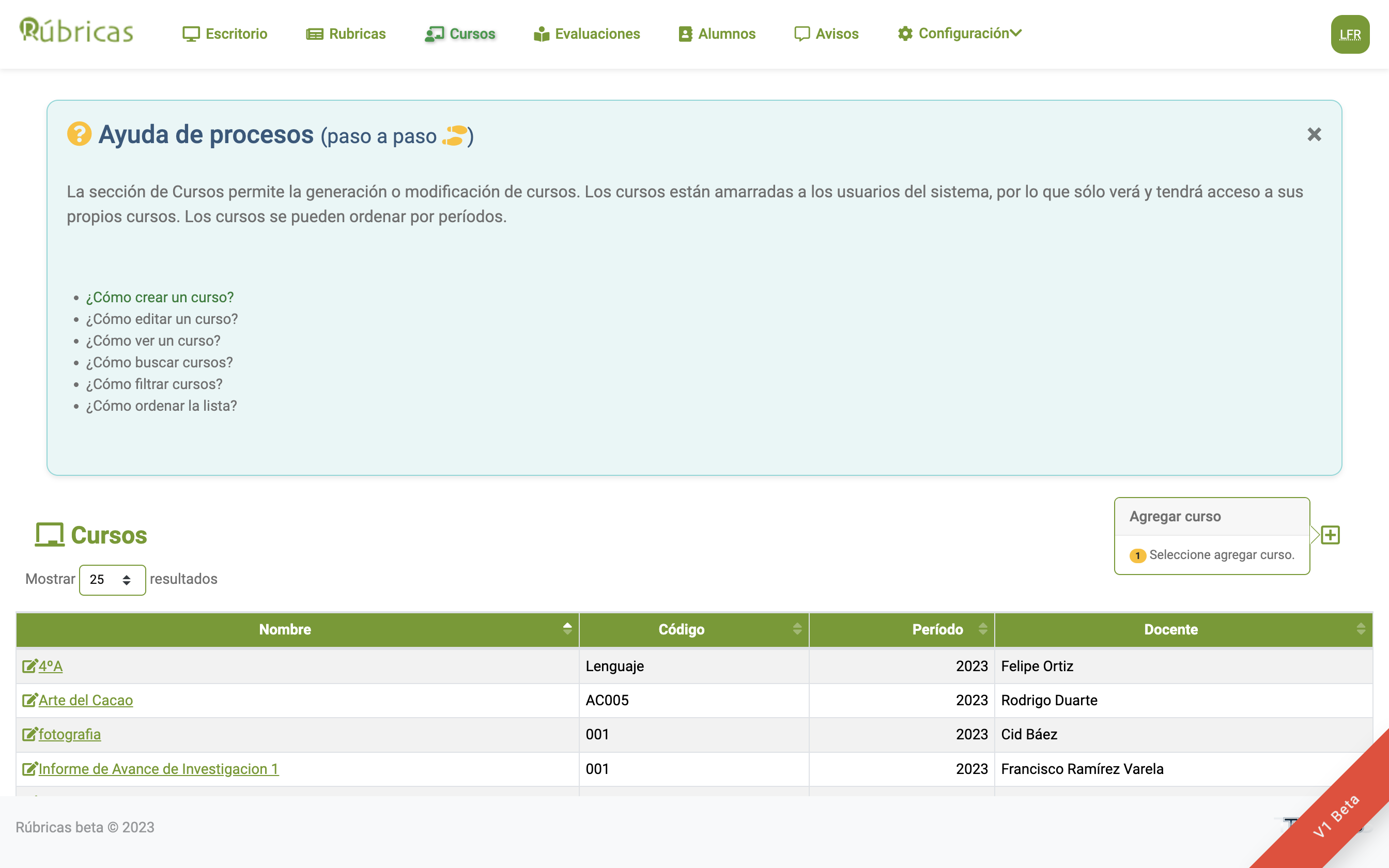
2 Create a course and assign students
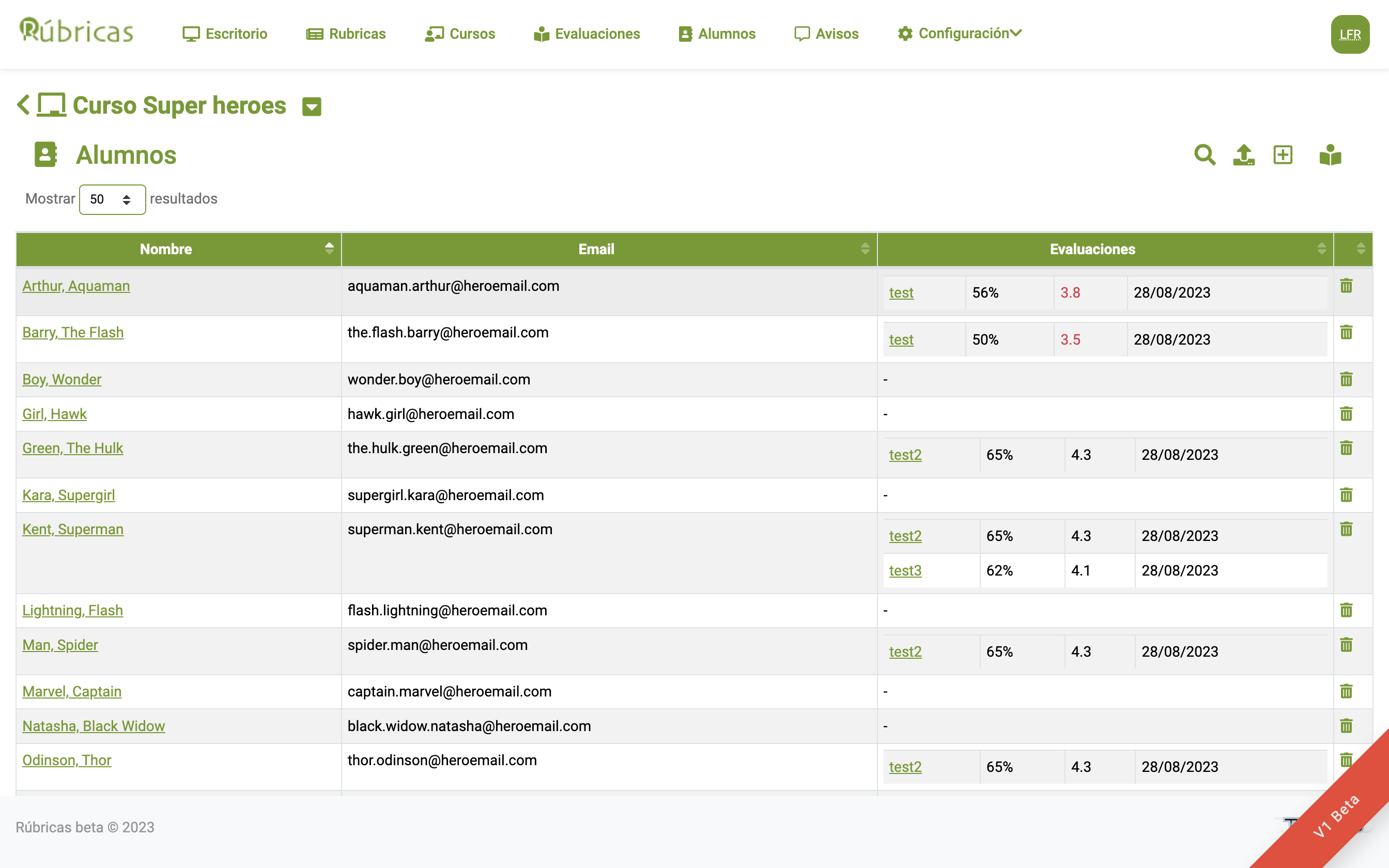
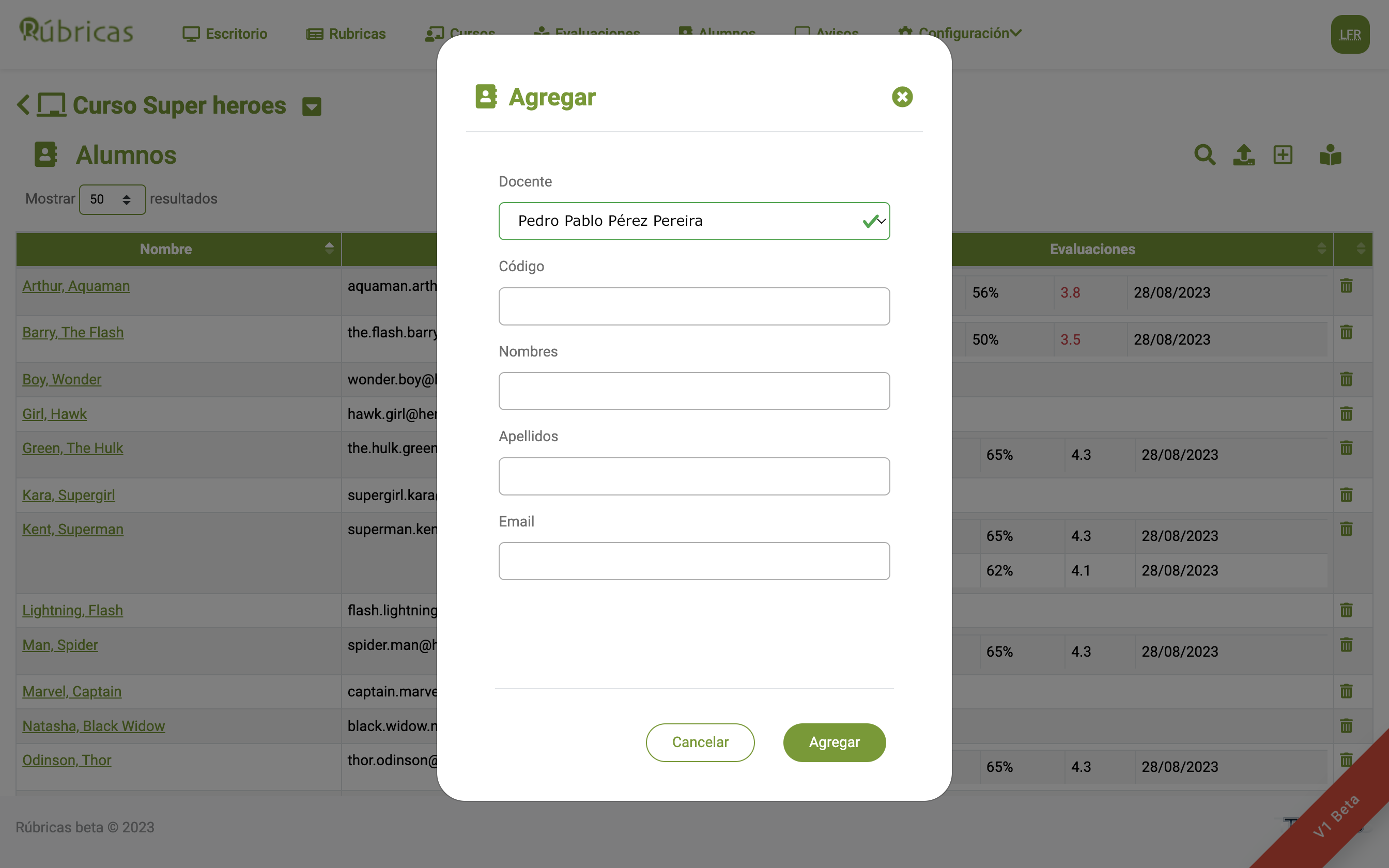
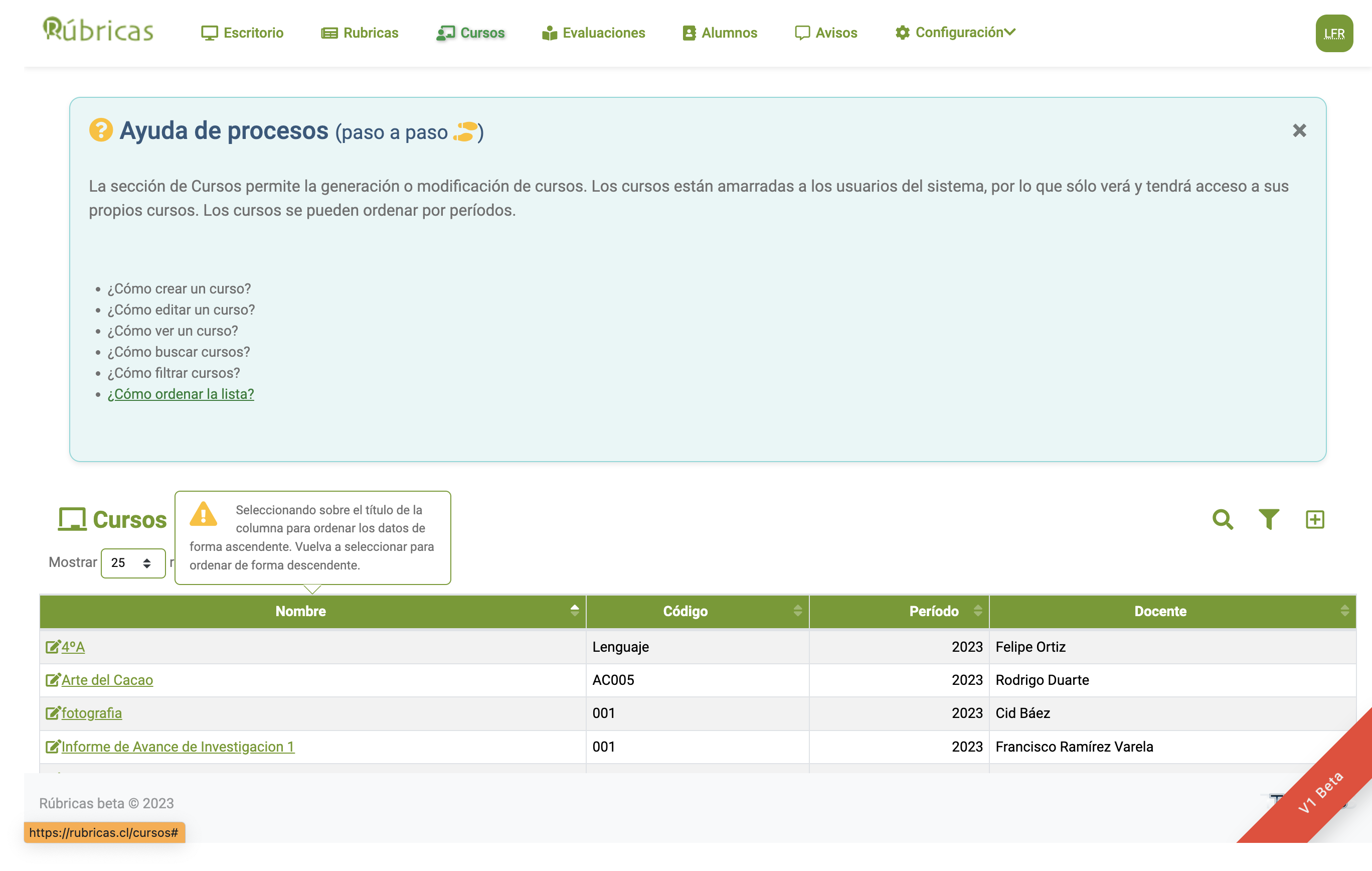
You can create as many courses as you need and assign students to each course.
- Import students from a spreadsheet.
- Reuse students records from previous years to maintain their history.
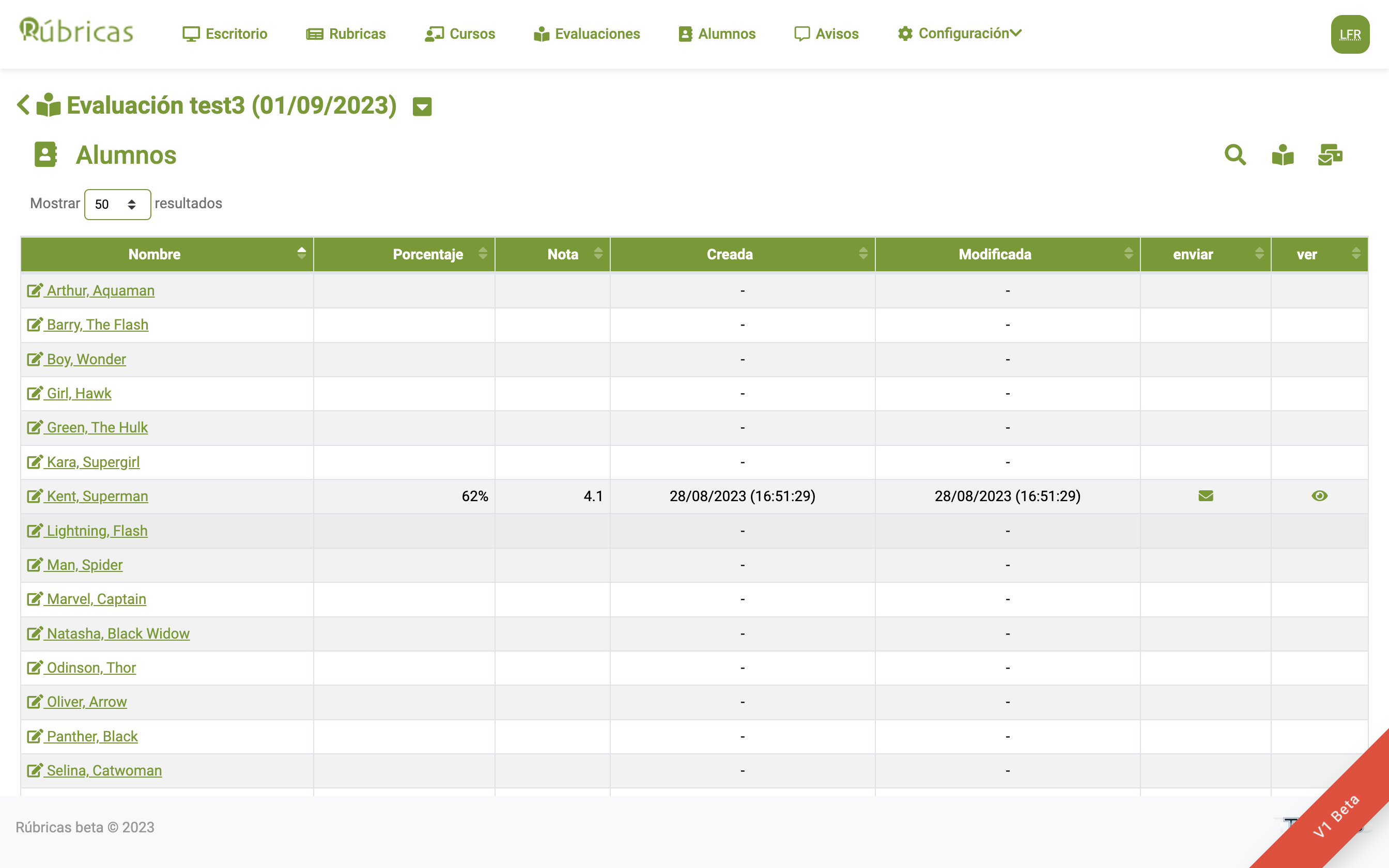
- Review completed assessments and their dates.
- Manage multiple courses throughout the year.
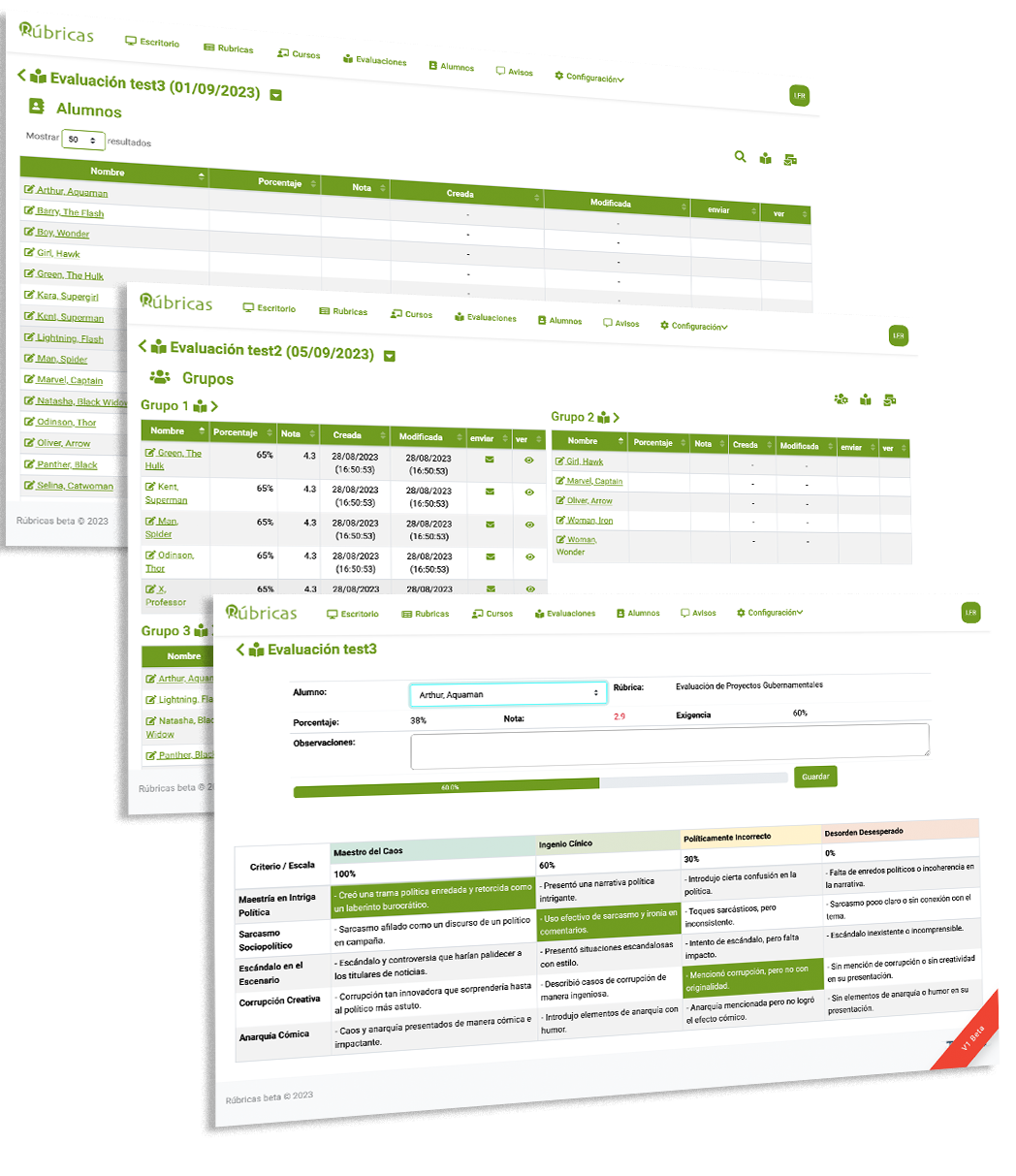
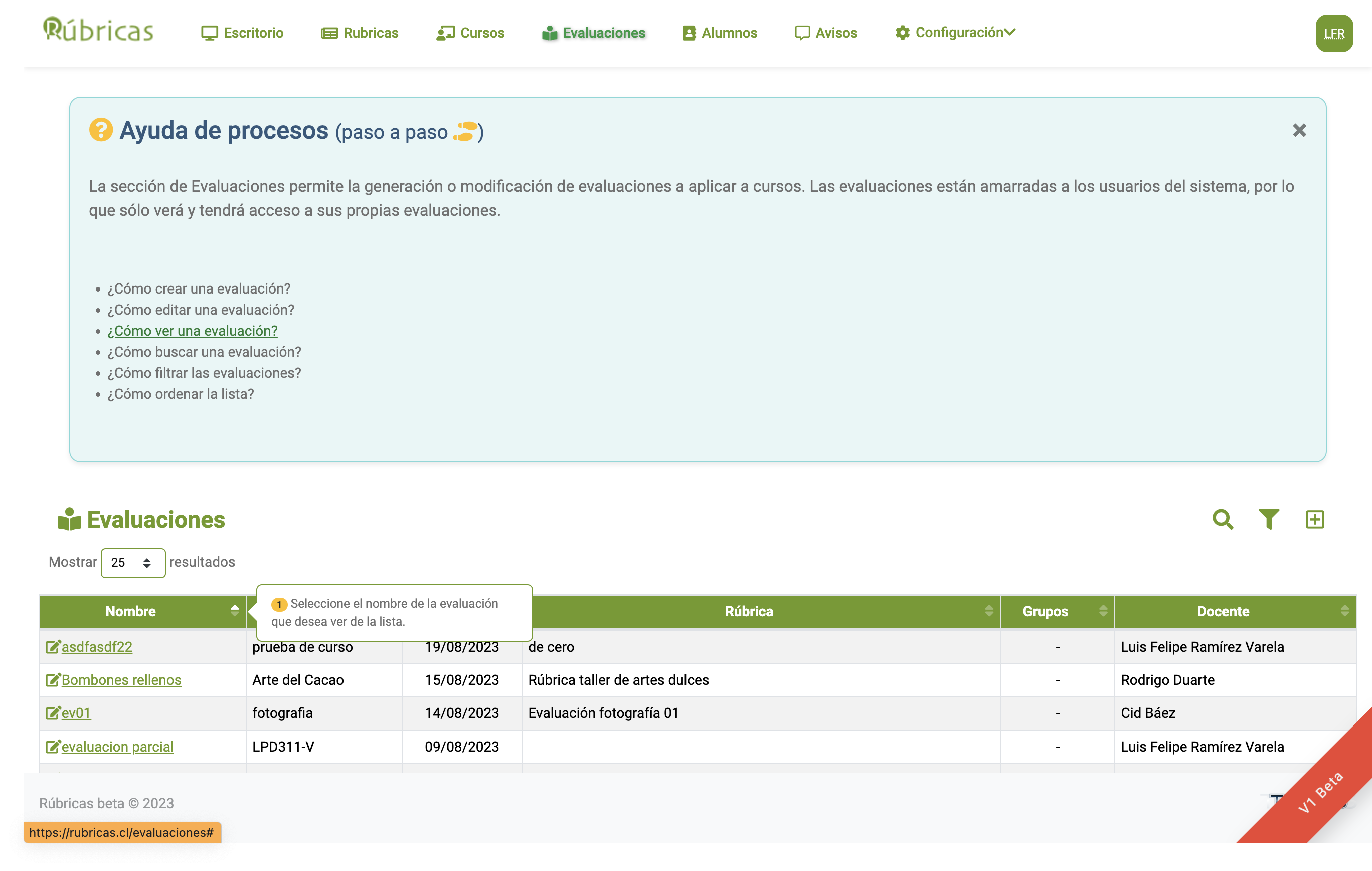
3 Plan an assessment
Set an assessment date to link a rubric to a course.
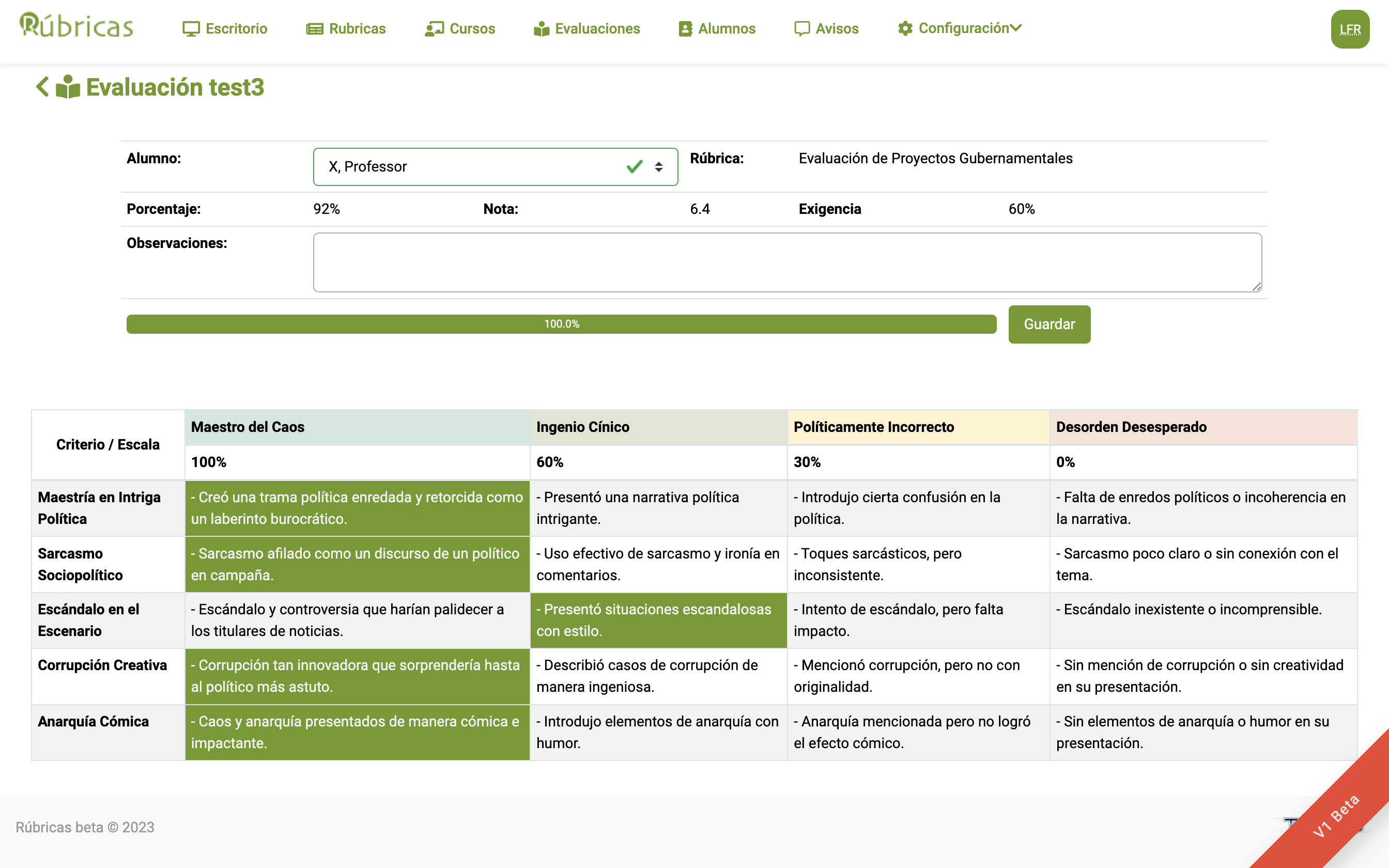
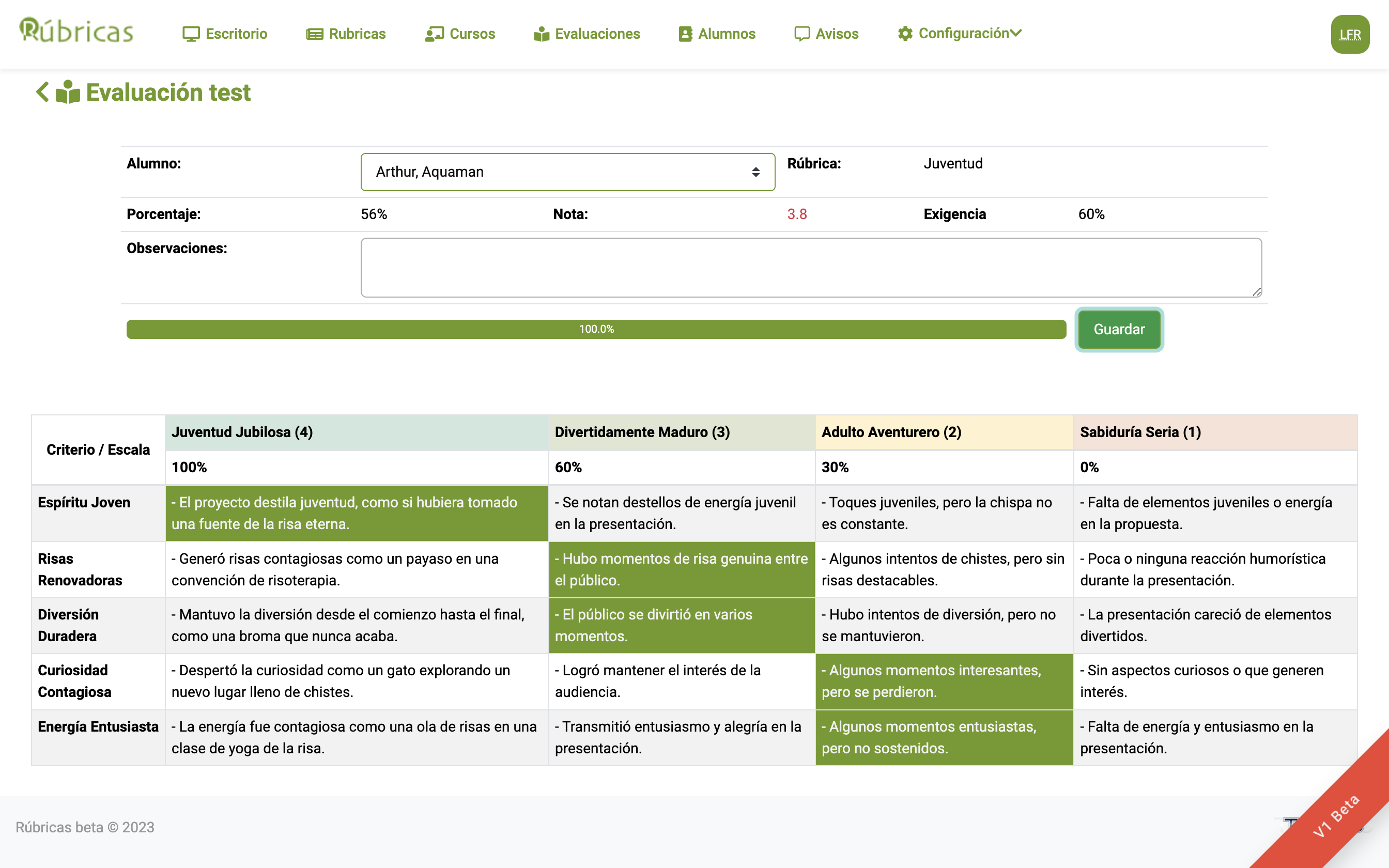
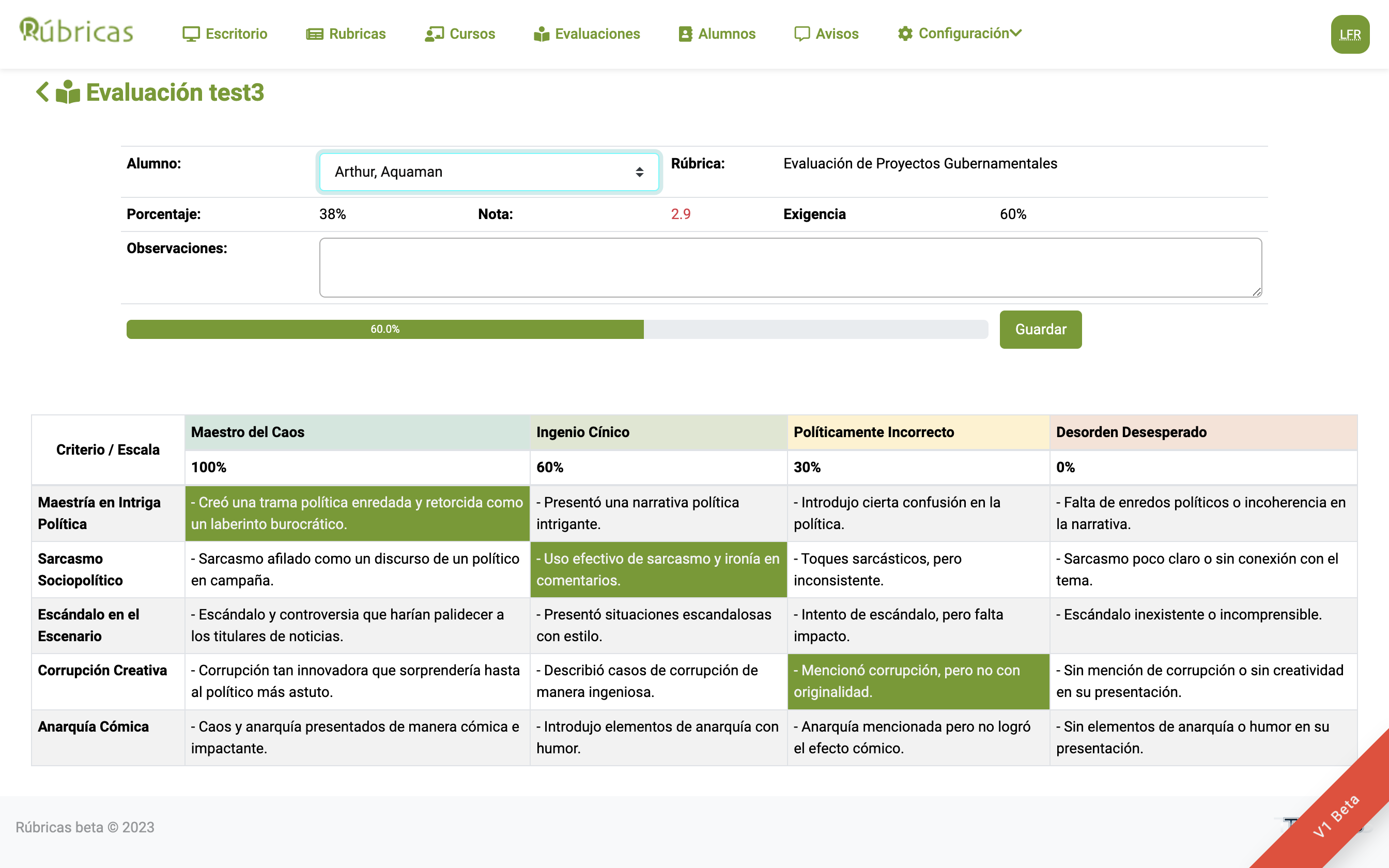
- Select the student you want to assess and apply the rubric by choosing the appropriate level for each criterion.
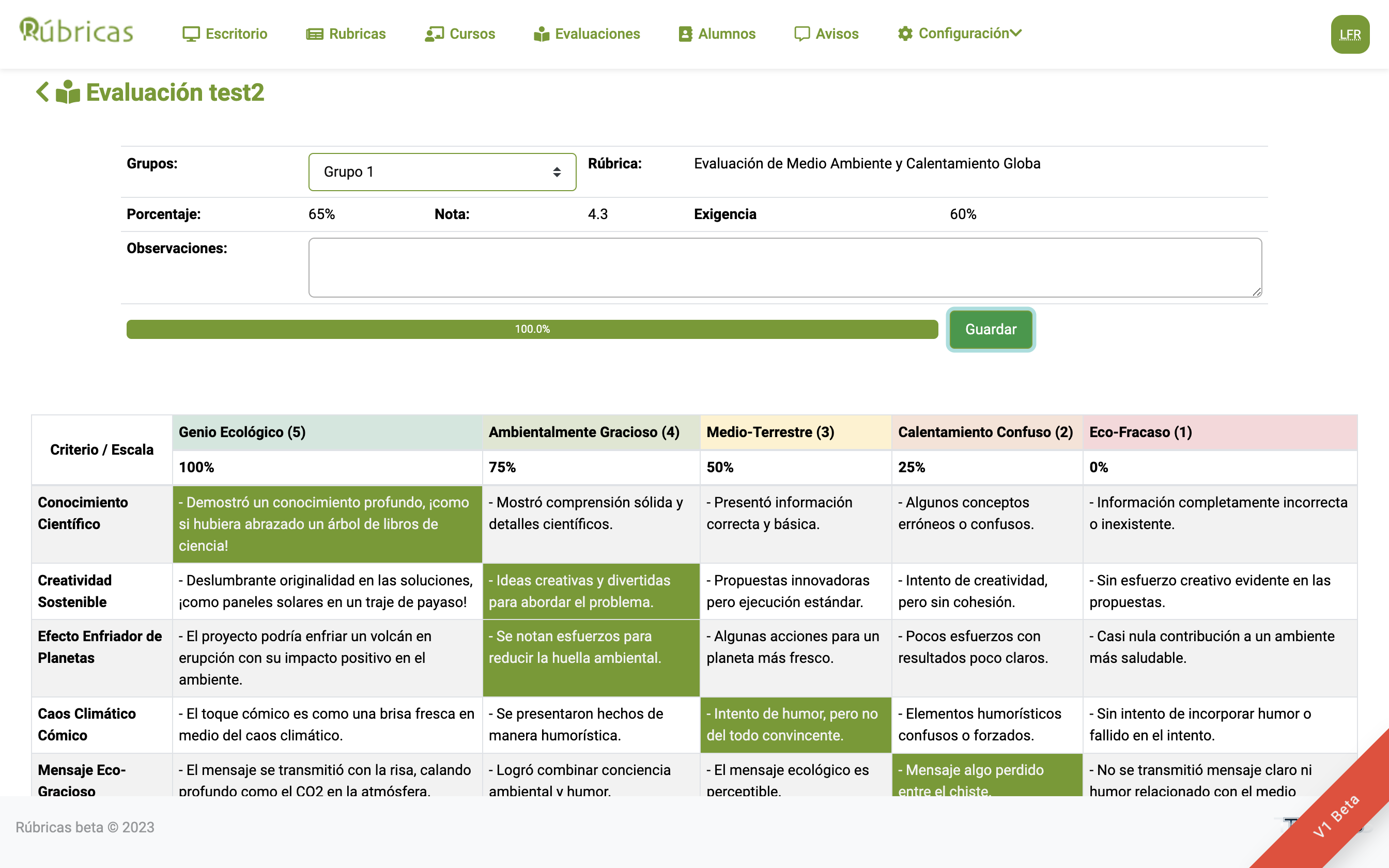
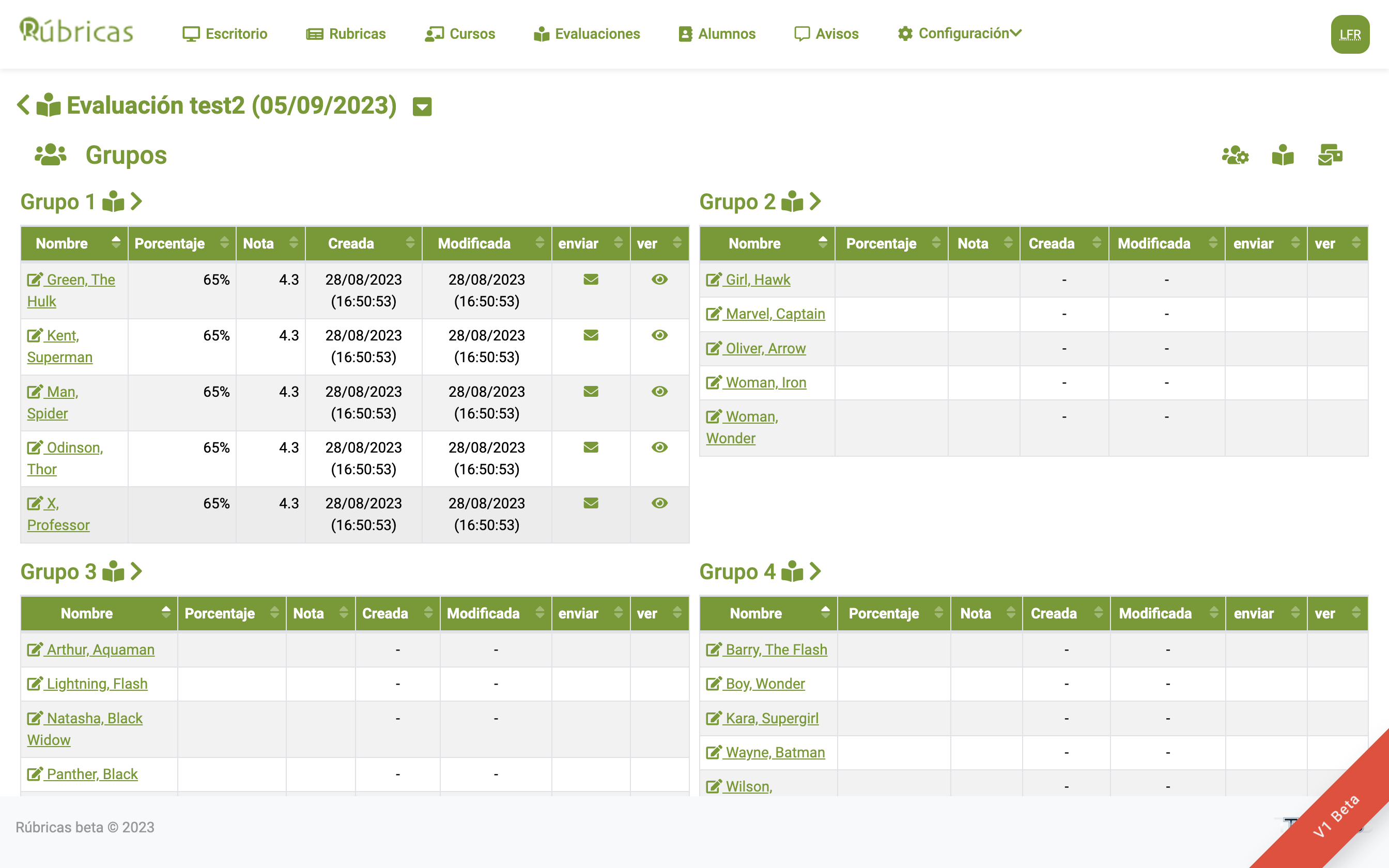
- You can create groups and assess students by group.
- You can even assign names to the groups!
- The rubric alerts you when all criteria have been assessed.
- Calculate the grade according to the percentage achieved.
- Send assessment results to students by email.
- Students can review their assessment to identify the criteria they need to improve.
- The same rubric can be applied again to compare progress.
As pedagogical tools, rubrics provide clear and consistent assessment criteria and help students understand what is expected of them.
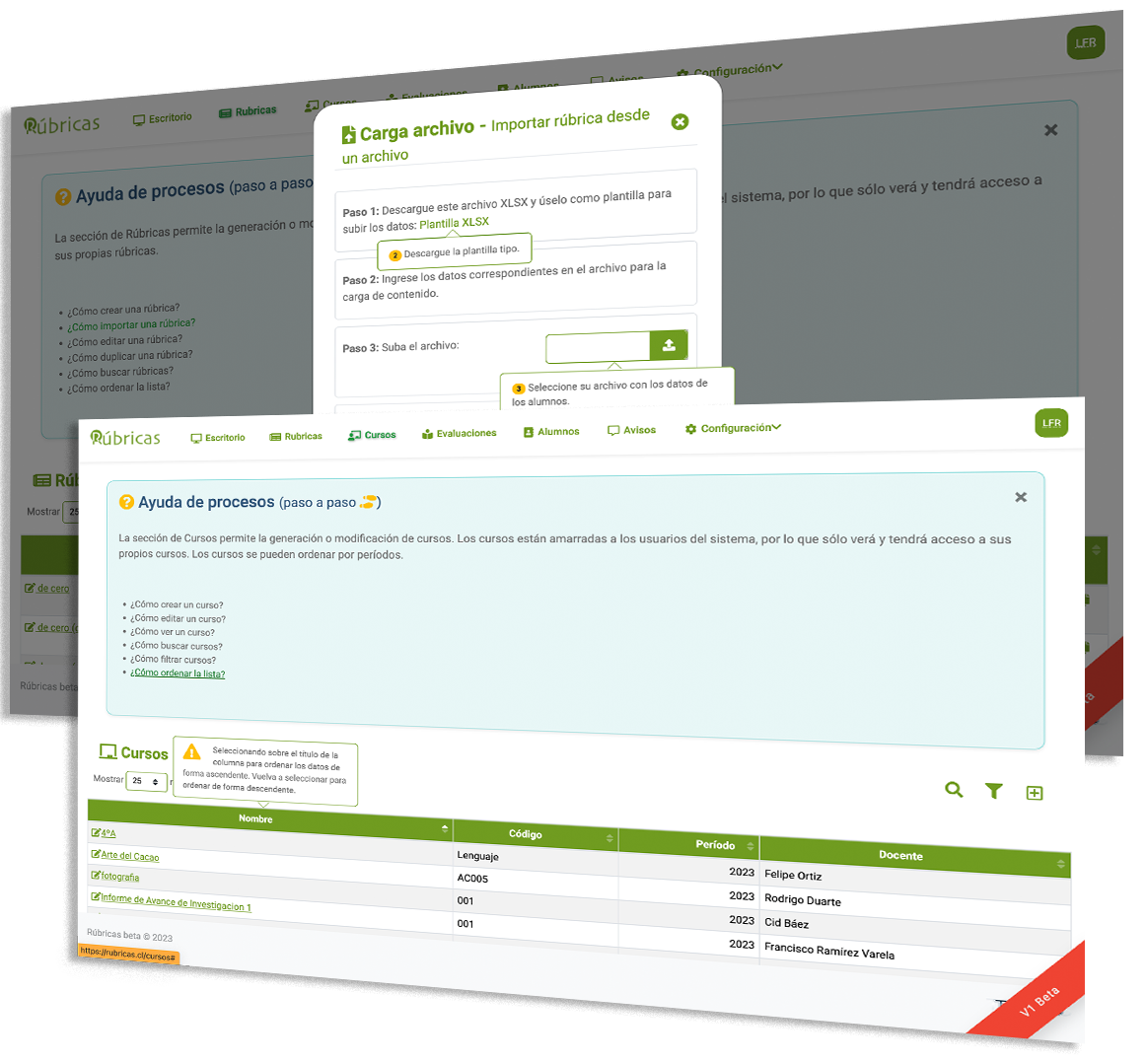
Online Help System
If you have questions about how to use the platform, you can always access the online help system, which will guide you step by step through any section.
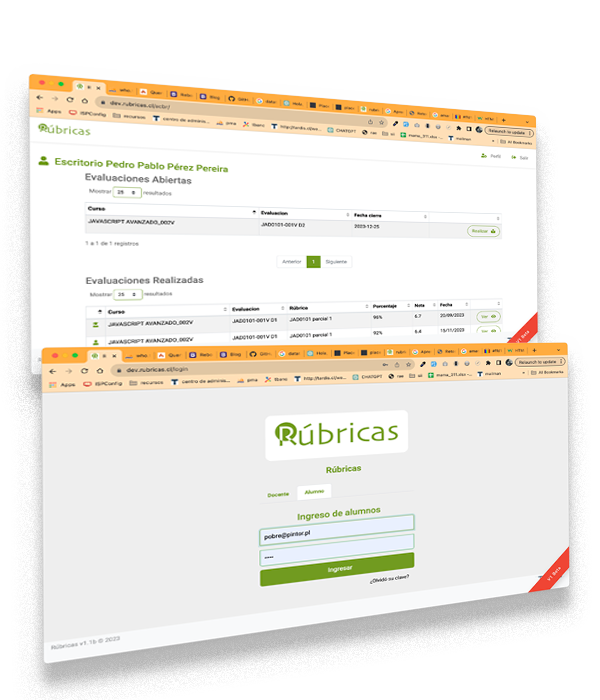
Module Collaborative Challenge-Based Learning Assessment (CCBL)
By integrating problem-solving into the educational process, this approach not only encourages a deeper understanding of concepts but also promotes crucial skills such as critical thinking, effective communication, and teamwork.
- Students have access to self-assessment and peer assessment for group work on the platform.
- Students have access to a history of teacher assessments and self-assessments to track their progress.
- The student’s final grade is weighted according to the assessments applied (teacher, self-assessment, and peer assessment).
Collaborative learning involves students working together to achieve common goals, while the challenge-based approach involves addressing problems or practical situations as an integral part of learning. This methodology aims to foster critical thinking, problem-solving, and collaboration among students.
Checklists
Checklists are essential tools for ensuring that objectives are met across a variety of activities and processes. Their simple and practical design makes it possible to quickly and effectively verify whether established criteria have been achieved, promoting clear and organized assessments. They are widely used in education, audits, workplace projects, and many other areas, serving as precise guides for tracking tasks and assessments.
- Clarity and simplicity: They present criteria in an easy-to-understand format, ideal for quick assessments.
- Customizable structure: They can be adapted to the specific needs of the user or project.
- Promotes objectivity: Enables assessment based on concrete evidence, reducing subjectivity.
- Versatile use: Applicable in educational, professional, and personal contexts.
- Monitoring and continuous improvement tool: Helps identify areas for improvement and ensures quality throughout processes.
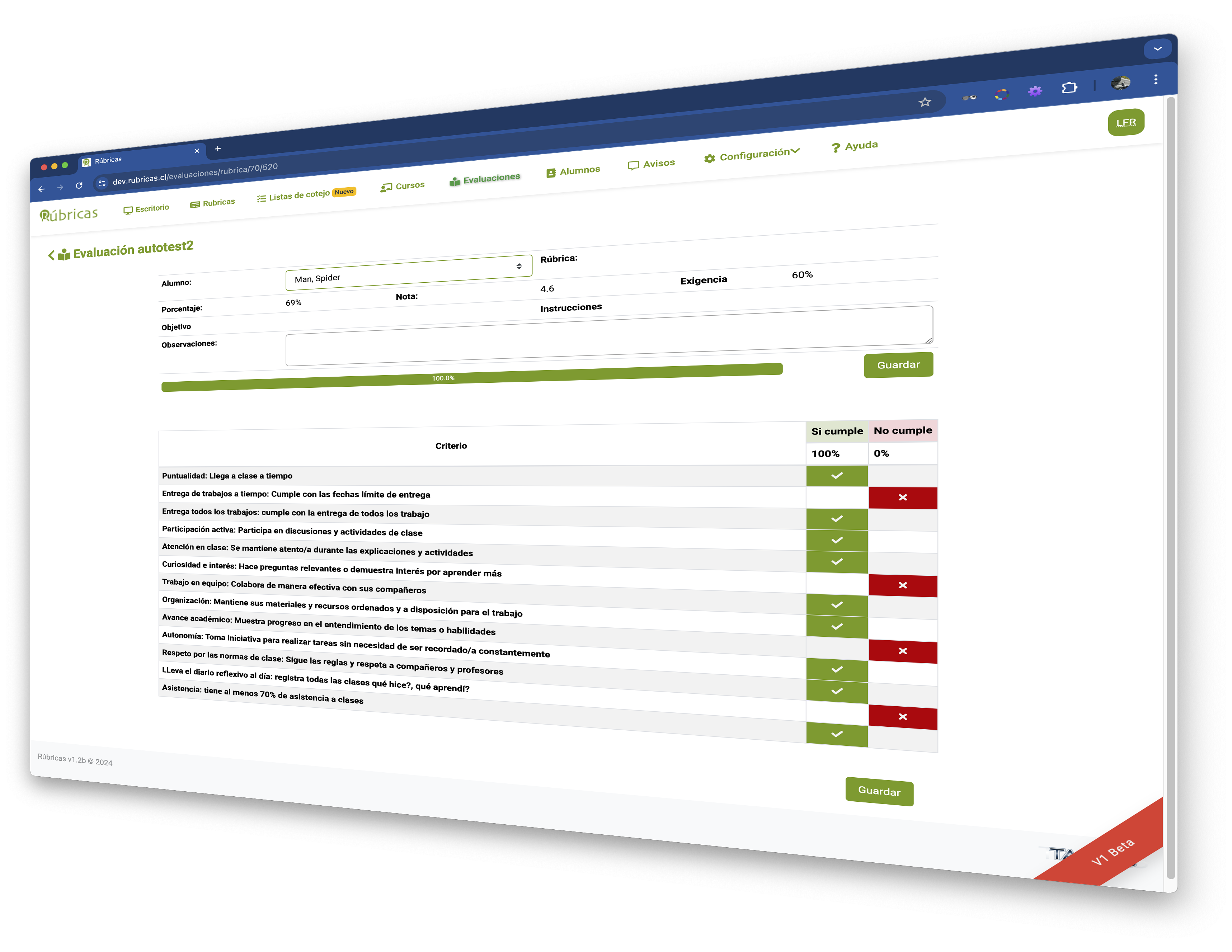
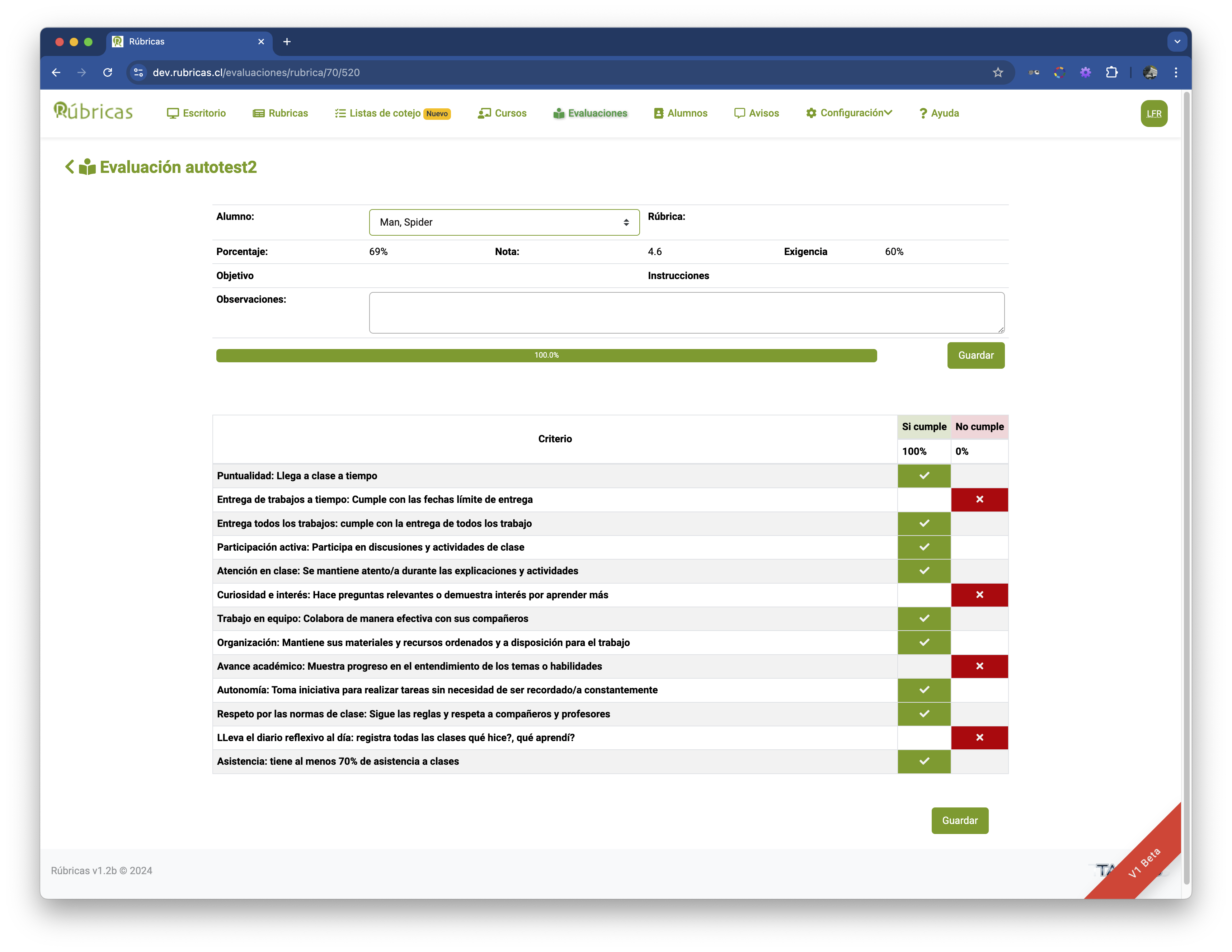
Gallery
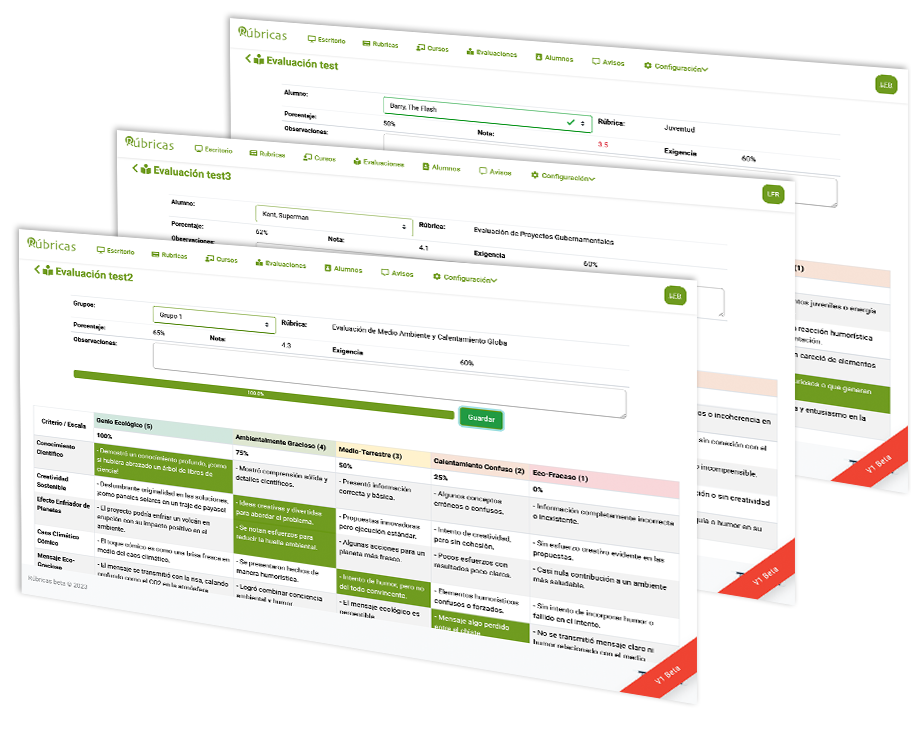
Some screenshots of the platform.

Pricing
Free
$0
- Teachers, educators, facilitators, instructors, academics, tutors, lecturers, and trainers.
- Access to all tools.
- Limit of 10 rubrics that can be created.
- Subdomain and customization.
- Centralized student records and history.
- Access to administration and role assignment.
Schools and Institutions
5UFper year per teacher account
- Access to administration and role assignment.
- Subdomain and customization.
- Centralized student records and history.
- Unlimited rubrics.
- Centralized upload of rubrics, courses, and students by administrative staff.
- Integration with other platforms.
with CCBL Module
7UFper year per teacher account
- All features of the institutional plan.
- Student access to self-assessment and peer assessment.
- Student access to their rubric-based assessment results.
Contact
Do you have questions, inquiries, or specific requirements? Contact us by email and let’s talk.